Apparel · 6 min read
How big should a logo be on a shirt?
The right logo size on a shirt is the difference between merch that looks intentional and merch that looks off. Here are the standard dimensions for left chest, full front, full back, and sleeve prints, plus a few rules of thumb so your design sits at the right scale.
Quick answer
A left-chest logo is usually about 3.5–4 inches wide; a full-front or full-back print is typically 10–12 inches wide (up to ~14 for oversized). Size to the garment and wearer, keep it centered and proportional, and leave clear space: your free mockup shows the exact scale before production.
There's no single answer to how big a logo should be on a shirt, it depends on where the logo goes and how big the wearer is. The good news is that decorators work from a handful of standard print sizes, and once you know them, sizing your own artwork is easy. Below are the typical dimensions for each placement, with guidance you can apply to any custom t-shirt.
Left chest logo size
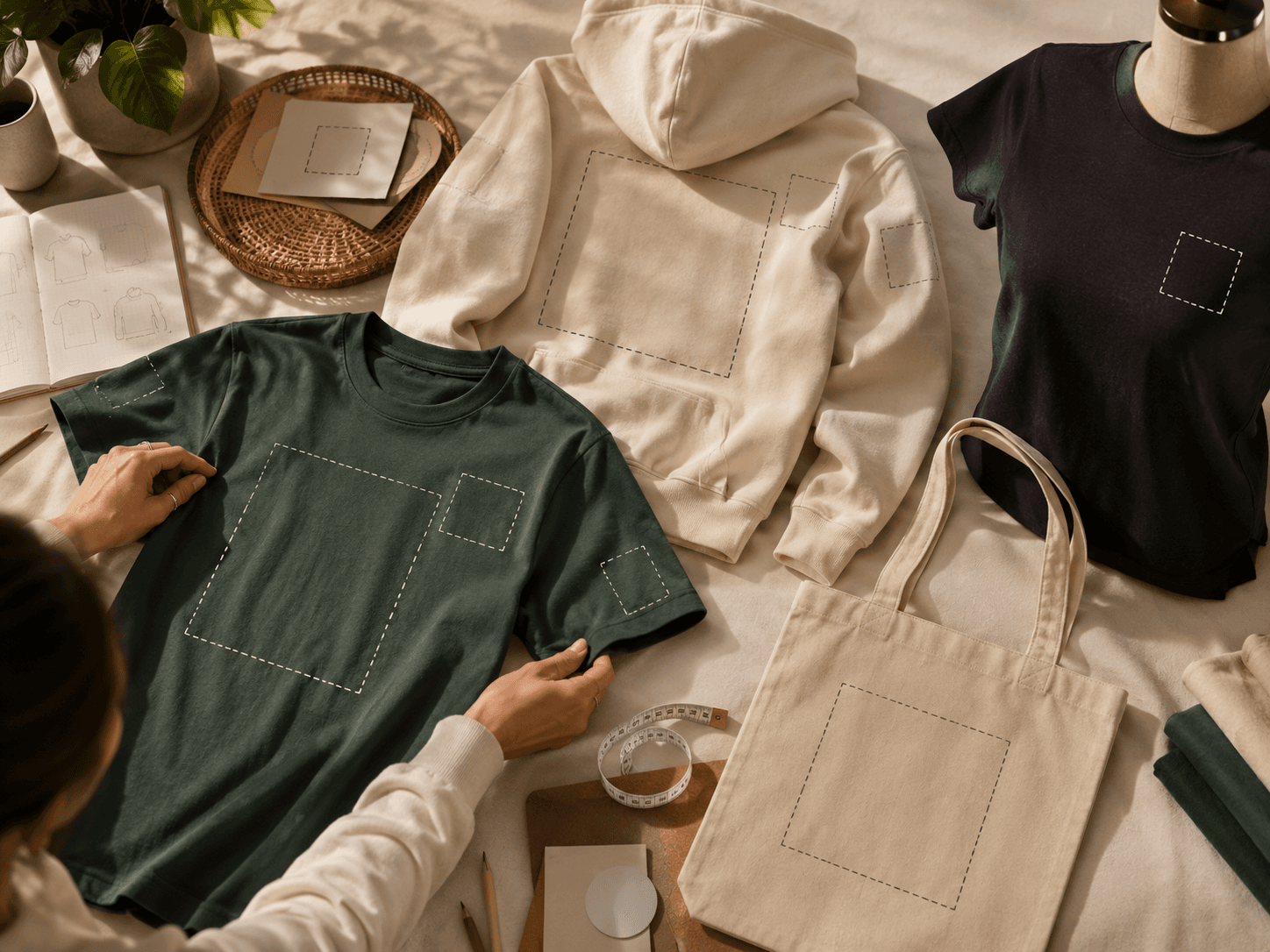
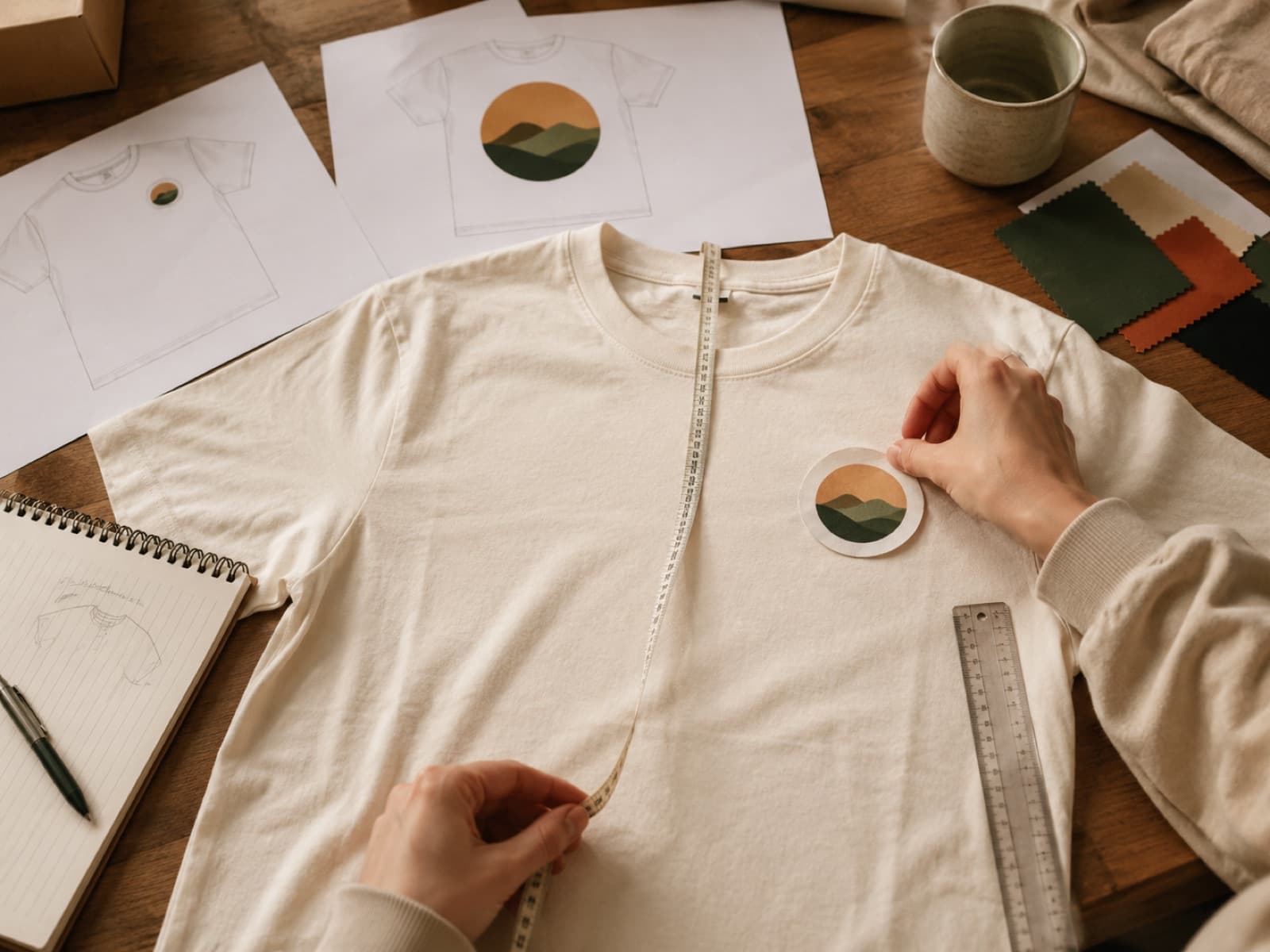
The most common spot for a small logo is the left chest. A typical left chest logo size is about 3.5 to 4 inches wide, small enough to read as a refined brand mark rather than a graphic. For left chest logo placement, position the design roughly 7 to 8 inches down from the shoulder seam, centered over the left breast (the wearer's left). On smaller garments you'll pull that measurement up slightly. This is the classic look for polos, button-downs, and any shirt where you want a clean, professional finish. Our logo placement guide walks through positioning in more detail.
Full front and full back print size
A full front or full back print is your bold, look-at-me option. The full back print size, and full front, for that matter, is typically 10 to 12 inches wide, scaling up to around 14 inches for an oversized, edge-to-edge look. As a reference point, the standard adult max print area is roughly 12 by 16 inches, so your artwork needs to live inside that window. For a centered chest graphic, drop the top of the design a few inches below the collar so it sits on the chest rather than creeping toward the neckline. Bigger isn't automatically better: a 12-inch graphic on an adult tee reads as confident, while pushing past the print area just crowds the seams.
Sleeve and other placements
Sleeve prints are a great way to add a logo without competing with a main design. A typical sleeve print size is small, about 1.5 to 3 inches, because the printable area on a sleeve is narrow and you want the mark to sit cleanly without wrapping around the seam. The same restraint applies to other accent spots like a back-neck or hip-tag print: keep them compact so they feel like a finishing touch rather than a second focal point.
Adult vs youth sizing
All of the numbers above assume a standard adult shirt. For youth sizes, and for slim or women's fits, scale everything down so the design stays in proportion. A youth full front print often lands around 8 to 10 inches wide instead of 10 to 12, and a left chest logo might shrink toward 3 inches. The goal is the same ratio of logo to garment, not the same absolute measurement. If you're ordering a mix of adult and youth sizes, your decorator can resize the same artwork for each so it looks consistent across the run.
Rules of thumb
- Size to the garment and wearer. Match the print to the shirt: adult, youth, and slim fits each want a different scale.
- Keep it proportional. A logo should feel balanced on the chest or back, not crammed against the seams or lost in empty space.
- Leave clear space. Give the design breathing room around its edges so it reads cleanly from a distance.
- Use vector art. Vector files scale to any size and print the sharpest, a low-resolution image that looks fine small can blur once it's enlarged.
See it before you print
The surest way to get the size right is to see your logo on the shirt before anything is made. Lay out your artwork in the Design Studio to preview exact scale and placement on the garment, or send us your logo for a free mockup. We'll set it at the right dimensions for your shirt and show you precisely how it'll look. Questions on minimums or file types? Our FAQ covers the details, or call us at (737) 253-8727.